Hello and welcome! Pythia's Deckbox has just released account balances and auto-renewing rentals! These two interconnected features let renters automatically pay for and re-rent individual cards, batches, or entire decks, and give lenders a new set of controls to decide how their collection gets used.
Let's dig in!
Account balance — deposit flow
On your Profile page you'll now see a USDC Balance section for your account. For the moment, this represents USDC that you have specifically deposited using the Deposit button for the purpose of paying for new rentals without needing to sign a transaction every time and, critically, for paying for rentals set to auto-renew. In the future this balance may also absorb the rental fees collected by lenders to unify the experience, but for now the two are separate.
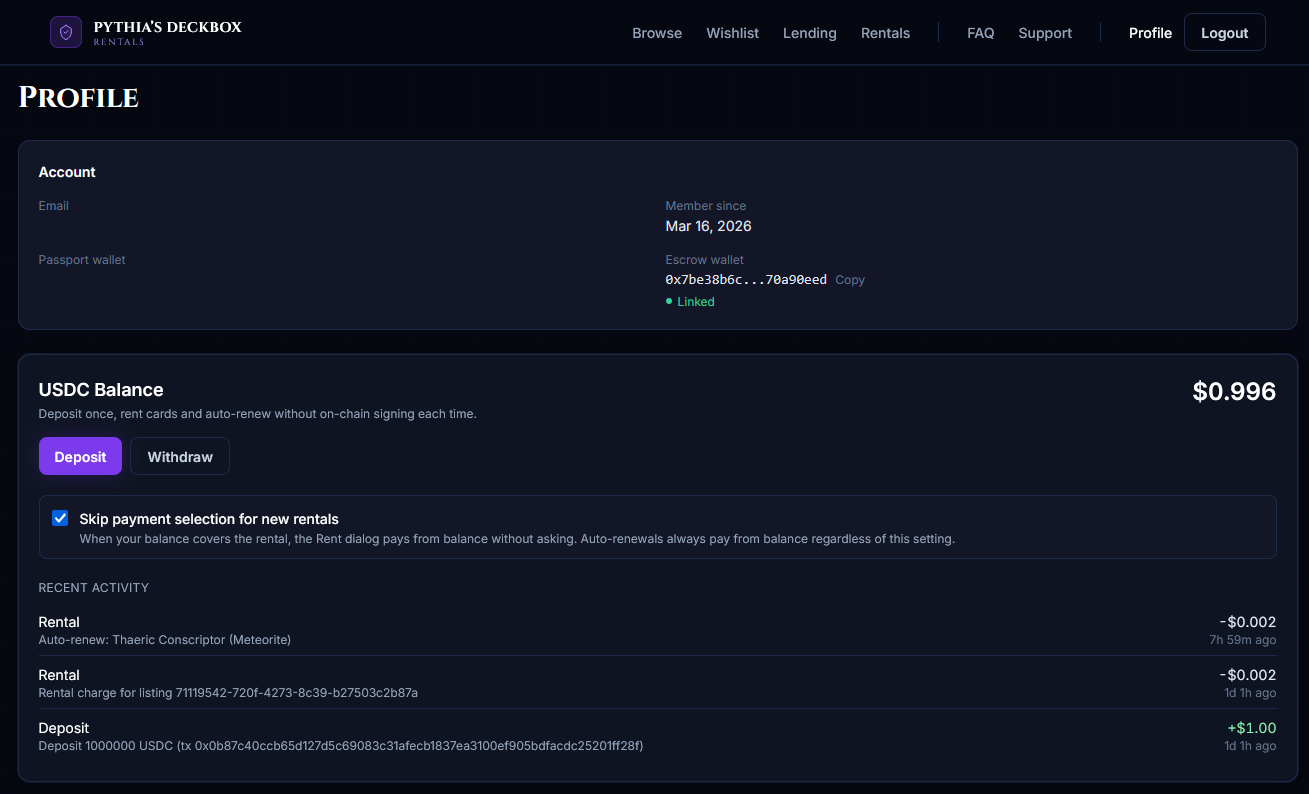
Click Deposit and you'll be asked to specify an amount between 1 USDC and 10 USDC per deposit. You can top up multiple times, up to a total balance cap of 25 USDC. Once your balance hits the cap the Deposit button disables until you spend or withdraw back under the limit. After you sign the transaction, the system validates the on-chain transfer and credits your balance and you're ready to rent.
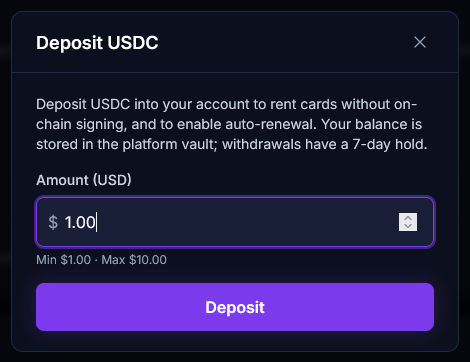
Rentals with balance
Once you have a balance, you can pay for any rental from it instead of signing a blockchain transaction and transferring USDC from your wallet. Every rent modal whether single cards, batches, or full decks, now offers a "Pay with balance" option whenever your balance covers the rental cost.
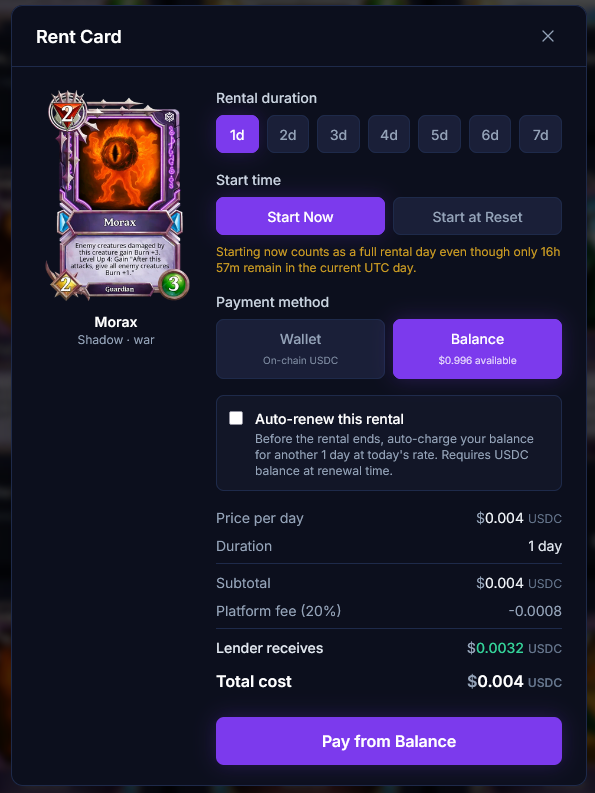
If you'd rather make balance the default and skipping the payment-picker entirely flip the "Default to balance payments" toggle on your Profile.
Auto-renewal flow
Once you've deposited funds, both new and existing rentals can be marked as auto-renewing. When an auto-renewing rental's period ends, the system automatically pays from your balance and extends the rental for the same duration as the original period.
For example: if you rent a Diamond Vanguard Axewoman at $0.01 USDC/day for 5 days, auto-renew will charge you 5 days × $0.01 = $0.05 USDC every 5 days, indefinitely, as long as your balance covers it.
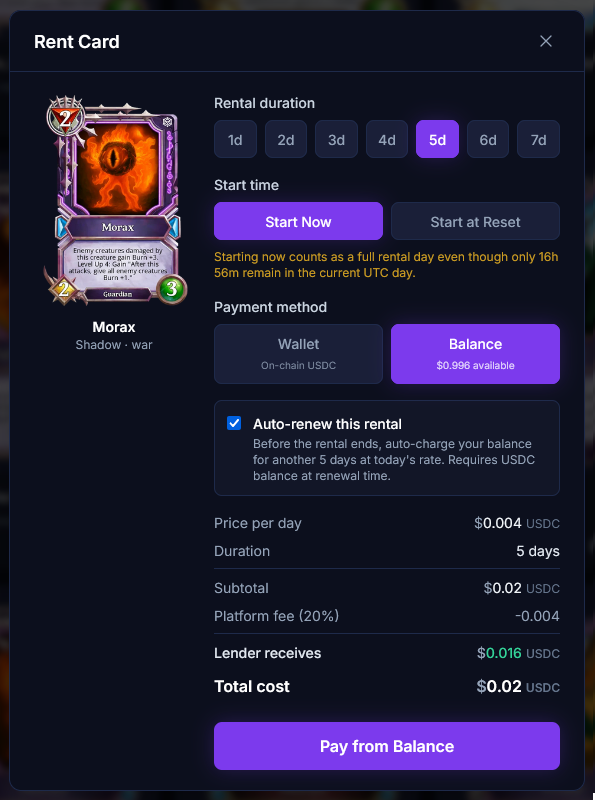
If your balance ever drops below what's needed for the next charge, that rental's auto-renew is turned off and the card returns to the lender at the end of its current period unless you re-enable it after topping up funds.
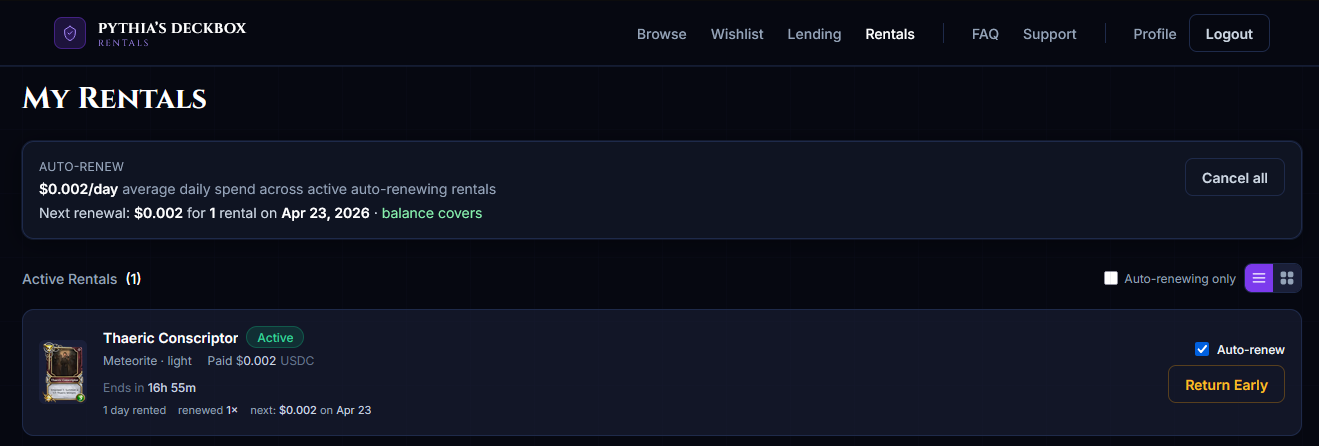
The Rentals page shows an auto-renew summary at the top: your average daily spend across all auto-renewing rentals, the next batch of charges and when they land, and a warning if your balance won't cover the next batch.
Balance withdrawal flow
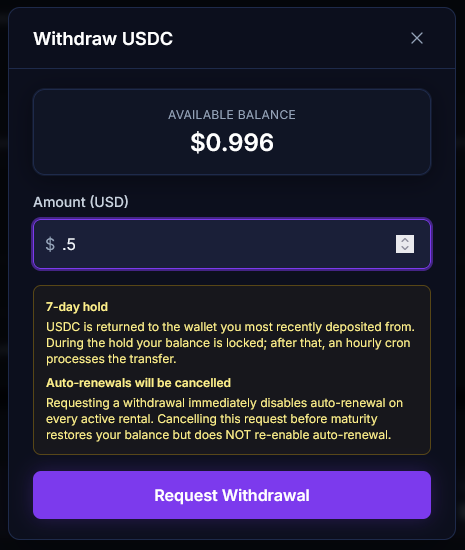
You can withdraw your balance at any time via the Withdraw button on the Profile page's USDC Balance panel.
A few things to keep in mind:
- This withdraws only your deposited balance. Rental fees earned as a lender are not part of this balance. Those are paid out separately.
- There is a 7-day waiting period after you request a withdrawal before the funds are processed and transferred back to your Passport wallet. Please keep this in mind when depositing.
- Initiating a withdrawal will disable auto-renewal on all of your active rentals. If you cancel the withdrawal before it processes, you can re-enable auto-renew on the rentals you want to keep extending.
New listing controls — Withdraw by + auto-renew
Lenders also get some new tools when depositing cards.
Withdraw by date
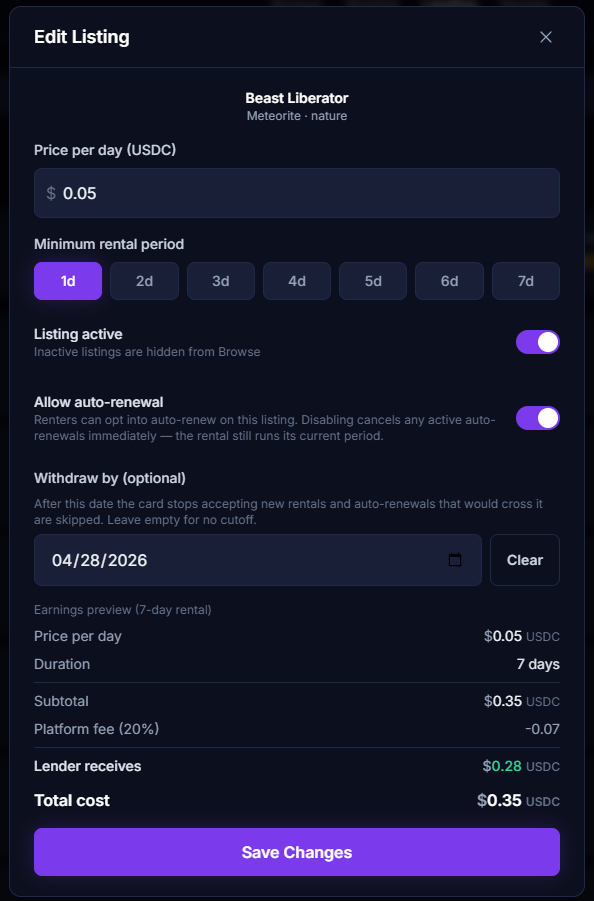
You can now set a Withdraw by date on any listing, new or existing. This is the hard deadline on which you want your asset back.
- Auto-renewals that would cross the date are skipped: If a renter's next renewal would push their period past your Withdraw-by date, the renewal is blocked, their rental ends at its natural period, and the card becomes available for you to withdraw.
- On the Withdraw-by date itself the listing is automatically deactivated: It's removed from Browse and it can no longer be rented. It remains visible to you in My Deposits (with an
INACTIVEbadge) so you can withdraw it whenever you're ready. - An already-rented listing can still be updated — you can add, change, or clear a Withdraw-by date while the card is actively rented, as long as the new date is after the rental's current end date.
Disabling auto-renew on a listing
If you'd rather a listing behave the old way — rent once, come back, go back on the market — you can disable auto-renew on that listing. New rentals on a listing with auto-renew disabled cannot be marked as auto-renewing by a renter, and any existing active rental against it will have its auto-renew setting turned off as well.
Lender flow with auto-renewals
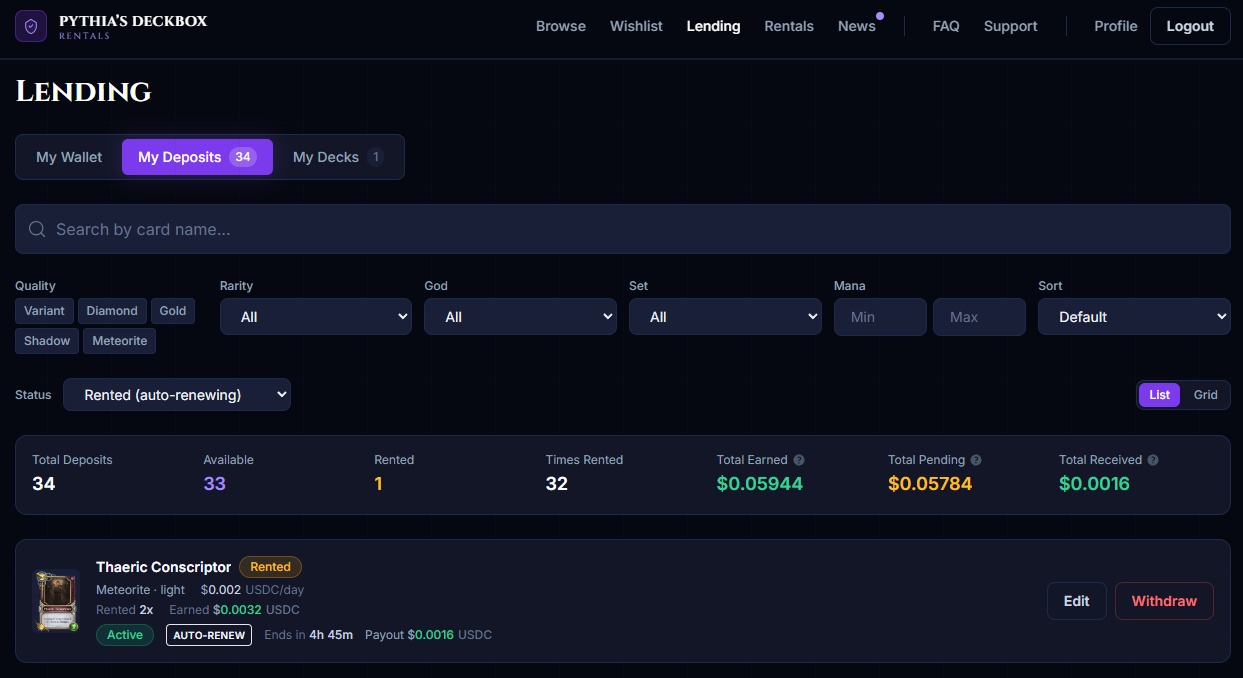
Because rentals can now extend indefinitely, the lender view on My Deposits has been updated to give you a clear picture of what's going on with each card.
- Auto-renew status is visible per asset.: If a rented card is set to auto-renew, you'll see an "Auto-renew" indicator next to the rental info. No indicator means it's a standard fixed-period rental that will come back at the end date.
- Withdrawing an asset: Works the same way it always has: once a card is back in your possession either because the rental ended, the Withdraw-by cutoff was reached, or you never listed it the Withdraw button returns the NFT to your Passport wallet. Cards currently rented out cannot be withdrawn until the renter's period ends.
- You can edit auto-renew and Withdraw-by on an already-rented listing.: Turn off auto-renew and the current rental will finish its current period and return. Set a Withdraw-by and future auto-renewals past that date will be blocked. The one thing you can't do is shorten a cutoff so aggressively that it's already inside a live rental. The edit will be rejected if a current rental runs past the new date.
Wrapping up
Balances and auto-renewals are designed to quietly remove friction. Renters playing the same deck for weeks can stop babysitting their rentals; lenders who want their collection on autopilot can leave it to run and anyone who wants the old single-period behavior still has it, one toggle away.
A few links to get you started:
Top up your balance → Manage your rentals → View and edit your listings →Need help?
If you run into anything unexpected, please reach out on our official Discord server — that's the only place we provide support.
Join the Discord →Happy renting!
- Apocalypse